ZSmart2.0.0
Publisher Description

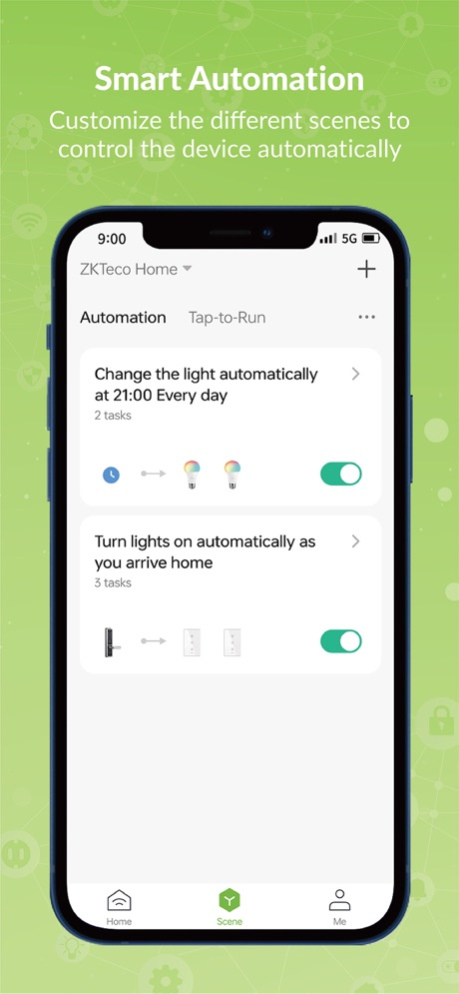

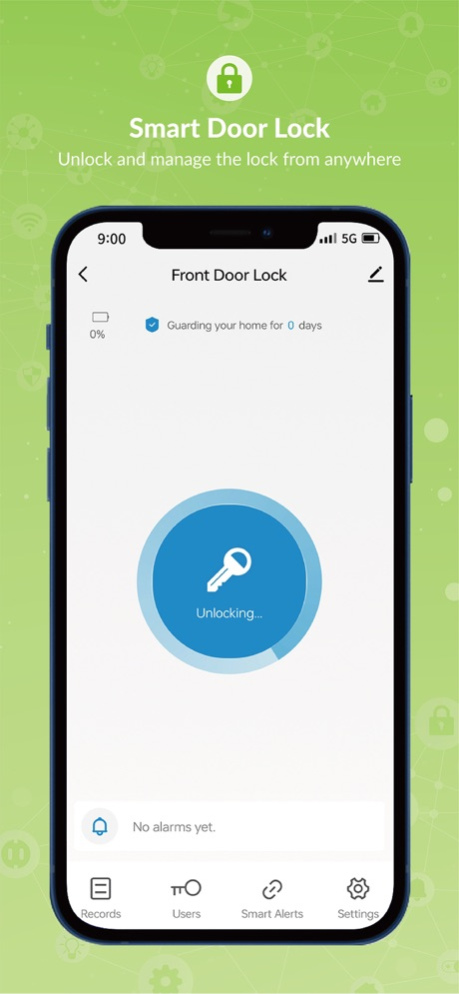
ZKTeco's smart home security system is an all-in-one IoT solution for the end users. Benefited from this smart and powerful system, we could enjoy a seamless experience with various smart home devices in one mobile App -- ZSmart. More importantly, when paired with a compatible Amazon Echo or Google Nest device, you can enjoy full hands-free control with voice commands. With ZSmart App, you can manage and control all the products in one App:
- Smart Door Lock: Unlock and manage the lock from anywhere
- Security Camera: View surveillance videos in real time
- Video Doorbell: See & speak to visitors from anywhere
- Alarm System: Protect the house with smart alarm system
- Smart Bulb: Change the brightness or color as need
- Smart Plug: Turn on or off automatically at a specific schedule
- Smart Light Switch: Switch on or off anytime, anywhere
If you have any questions, please feel free to contact us.
E-mail: sales@zkteco.com
Website: www.zkteco.com
Version History General bug fixes and improvements 2.0.0 01/25/2024 General bug fixes and improvements 1.6.0 02/25/2023 1. Optimize the experience of device network configuration.
2. Other bug fixes and improvements. V1.5.0 01/29/2022 1. Fix the issue of App push notification
2. Other general stability and UI improvements V1.4.1 10/13/2021 Fix the known issues and improve the stability V1.3.1 07/07/2021 Enjoy a new ZSmart app update, including bug fixes and improvements. 1.0.3 03/13/2021 增加对视频的支持,并完善了一些基本功能。 1.0.2 06/02/2020 1.0 10/23/2019
About ZSmart
The company that develops ZSmart is XiaMen Teco Electronic Technology Co., Ltd.. The latest version released by its developer is 2.0.0.
To install ZSmart on your iOS device, just click the green Continue To App button above to start the installation process. The app is listed on our website since 2026-10-14 and was downloaded 16 times. We have already checked if the download link is safe, however for your own protection we recommend that you scan the downloaded app with your antivirus. Your antivirus may detect the ZSmart as malware if the download link is broken.
How to install ZSmart on your iOS device:
- Click on the Continue To App button on our website. This will redirect you to the App Store.
- Once the ZSmart is shown in the iTunes listing of your iOS device, you can start its download and installation. Tap on the GET button to the right of the app to start downloading it.
- If you are not logged-in the iOS appstore app, you'll be prompted for your your Apple ID and/or password.
- After ZSmart is downloaded, you'll see an INSTALL button to the right. Tap on it to start the actual installation of the iOS app.
- Once installation is finished you can tap on the OPEN button to start it. Its icon will also be added to your device home screen.
Program Details
System requirements
Download information
Pricing
Version History
version 2.0.0
posted on 2026-10-14
Version History General bug fixes and improvements 2.0.0 01/25/2024 General bug fixes and improvements 1.6.0 02/25/2023 1. Optimize the experience of device network configuration.
2. Other bug fixes and improvements. V1.5.0 01/29/2022 1. Fix the issue of App push notification
2. Other general stability and UI improvements V1.4.1 10/13/2021 Fix the known issues and improve the stability V1.3.1 07/07/2021 Enjoy a new ZSmart app update, including bug fixes and improvements. 1.0.3 03/13/2021 增加对视频的支持,并完善了一些基本功能。 1.0.2 06/02/2020 1.0 10/23/2019
version 2.0.0
posted on 2024-01-25
General bug fixes and improvements
version 2.0.0
posted on 2024-01-25
Jan 25, 2024
Version 2.0.0
General bug fixes and improvements
version 1.6.0
posted on 2023-02-25
Feb 25, 2023
Version 1.6.0
General bug fixes and improvements
version V1.5.0
posted on 2022-01-29
Jan 29, 2022 Version V1.5.0
1. Optimize the experience of device network configuration.
2. Other bug fixes and improvements.
version V1.4.1
posted on 2021-10-13
Oct 13, 2021 Version V1.4.1
1. Fix the issue of App push notification
2. Other general stability and UI improvements
